Showcase
A quick visual tour. Each item links to the relevant docs if you want to dig in.
The dashboard
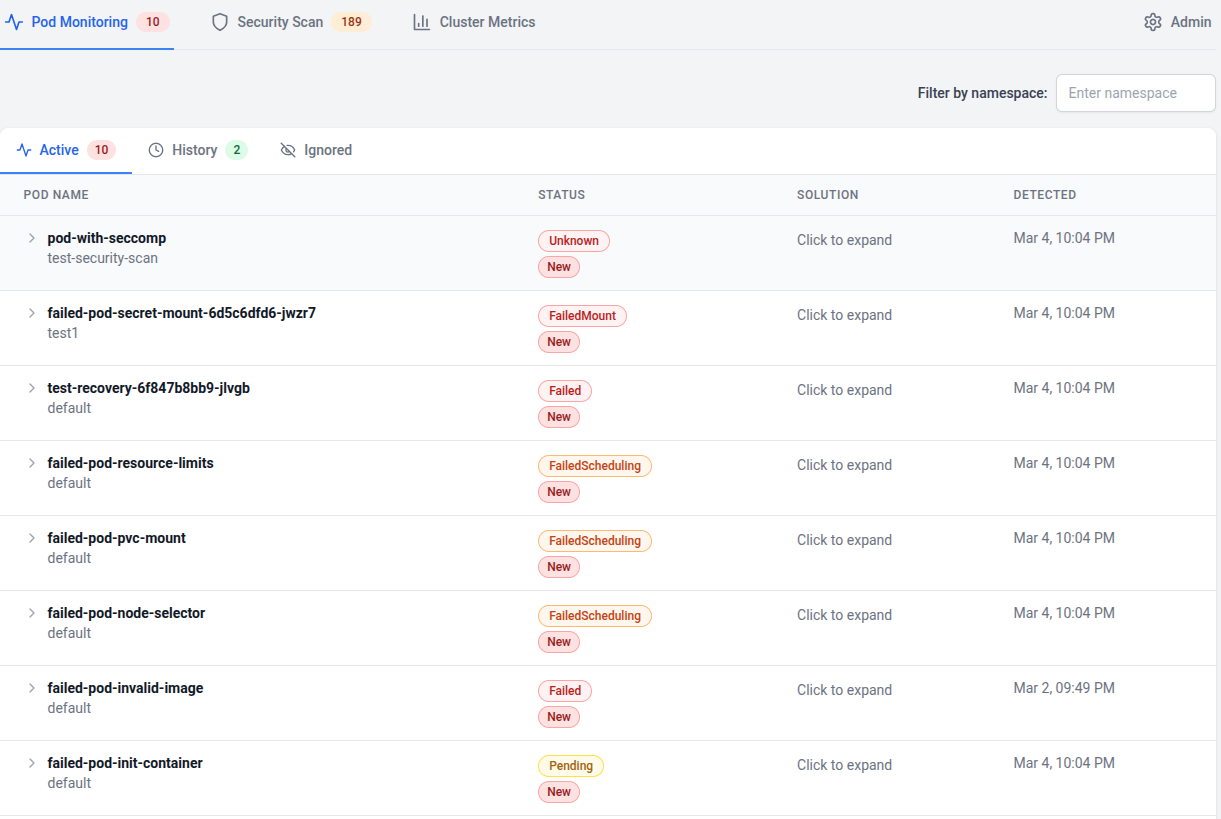
Section titled “The dashboard”A single pane for every pod, with status, namespace, age, and the failure reason surfaced inline.
End-to-end demo
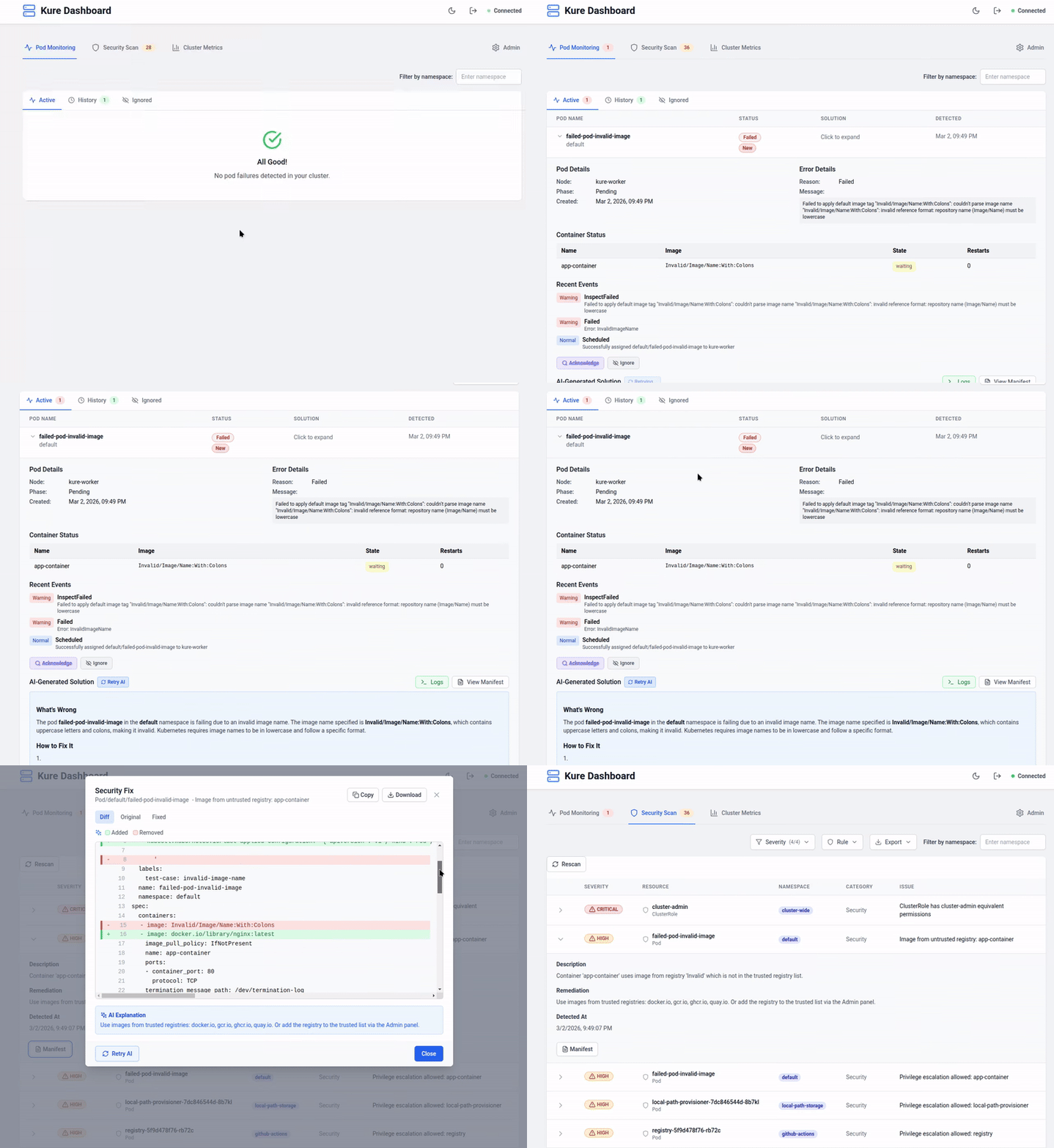
Section titled “End-to-end demo”Pod crashes, the dashboard highlights it, and the AI explains why — in seconds.
AI troubleshooting
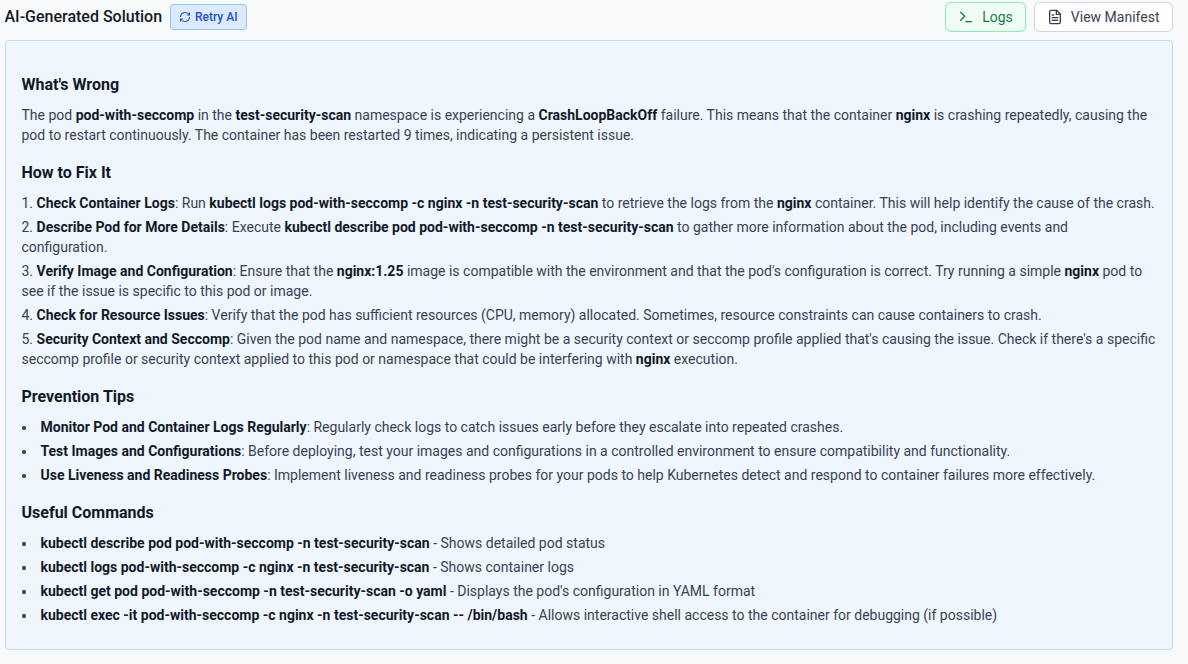
Section titled “AI troubleshooting”Open a failing pod, get a contextual diagnosis built from its events, logs, and manifest. Bring your own key (OpenAI, Anthropic, Groq, Gemini, GitHub Copilot) or run fully local with Ollama.
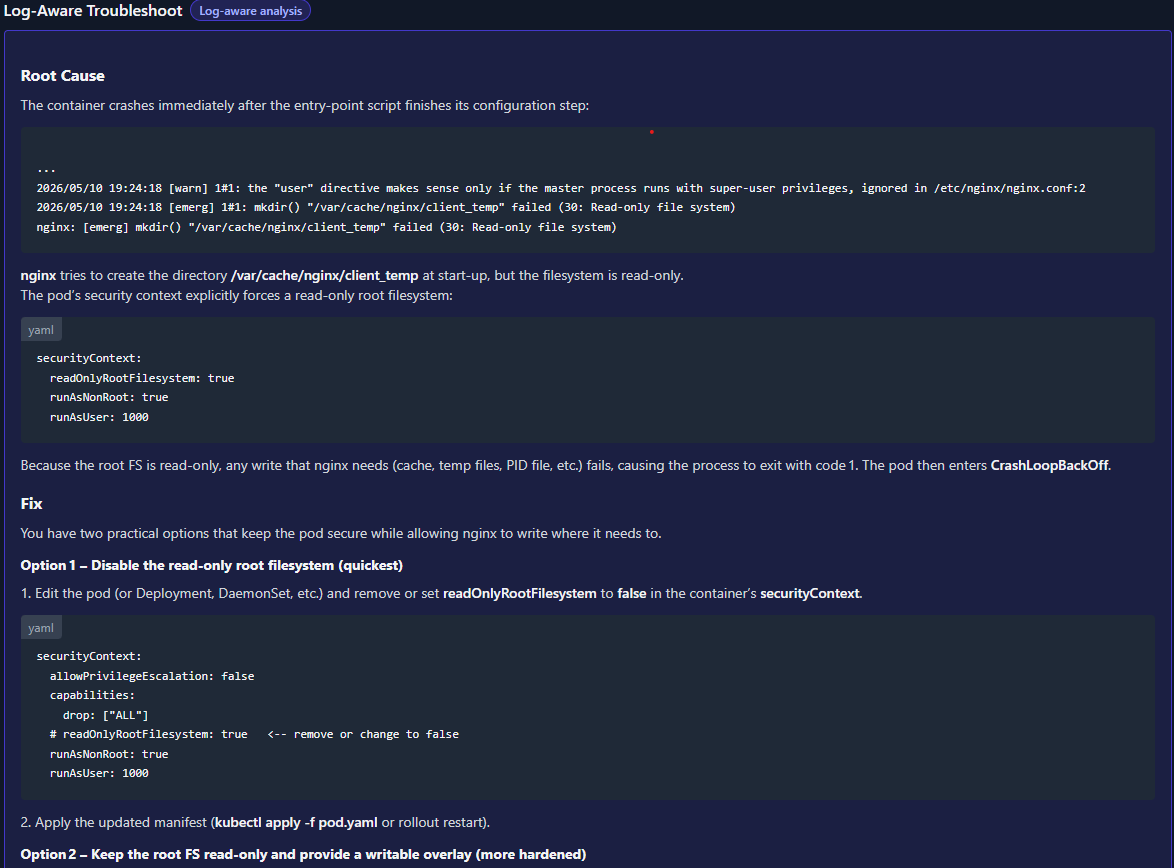
For CrashLoopBackOff and OOMKilled, Kure also runs a log-aware pass that pulls patterns directly out of container logs.
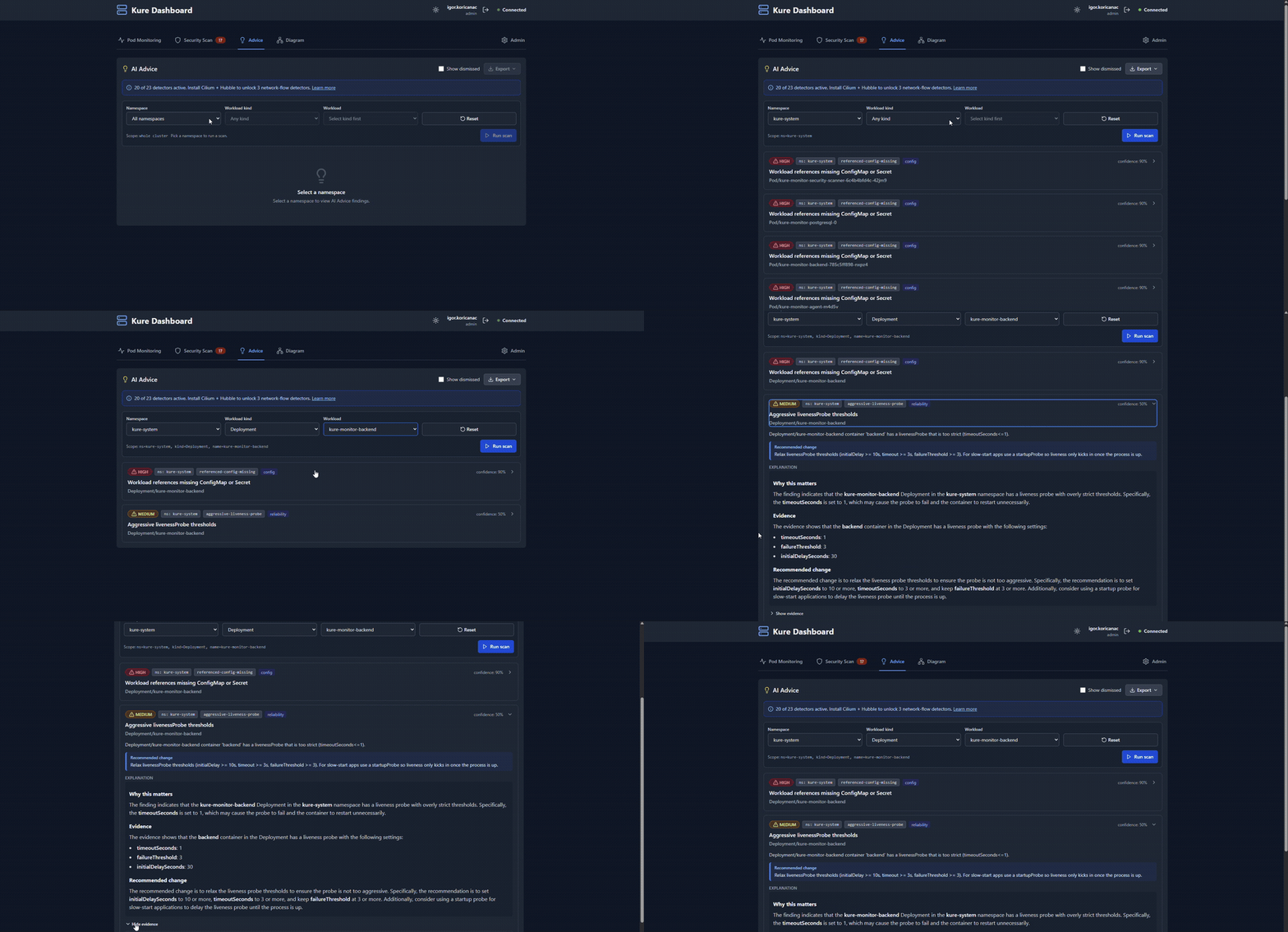
AI Advice
Section titled “AI Advice”The proactive counterpart to failure diagnosis. Trigger a scan over running, healthy workloads — and cluster flows — and Kure surfaces architectural mismatches a passing readiness probe will never tell you, each with rule-based evidence and a plain-language explanation of what to improve.
Security scanning
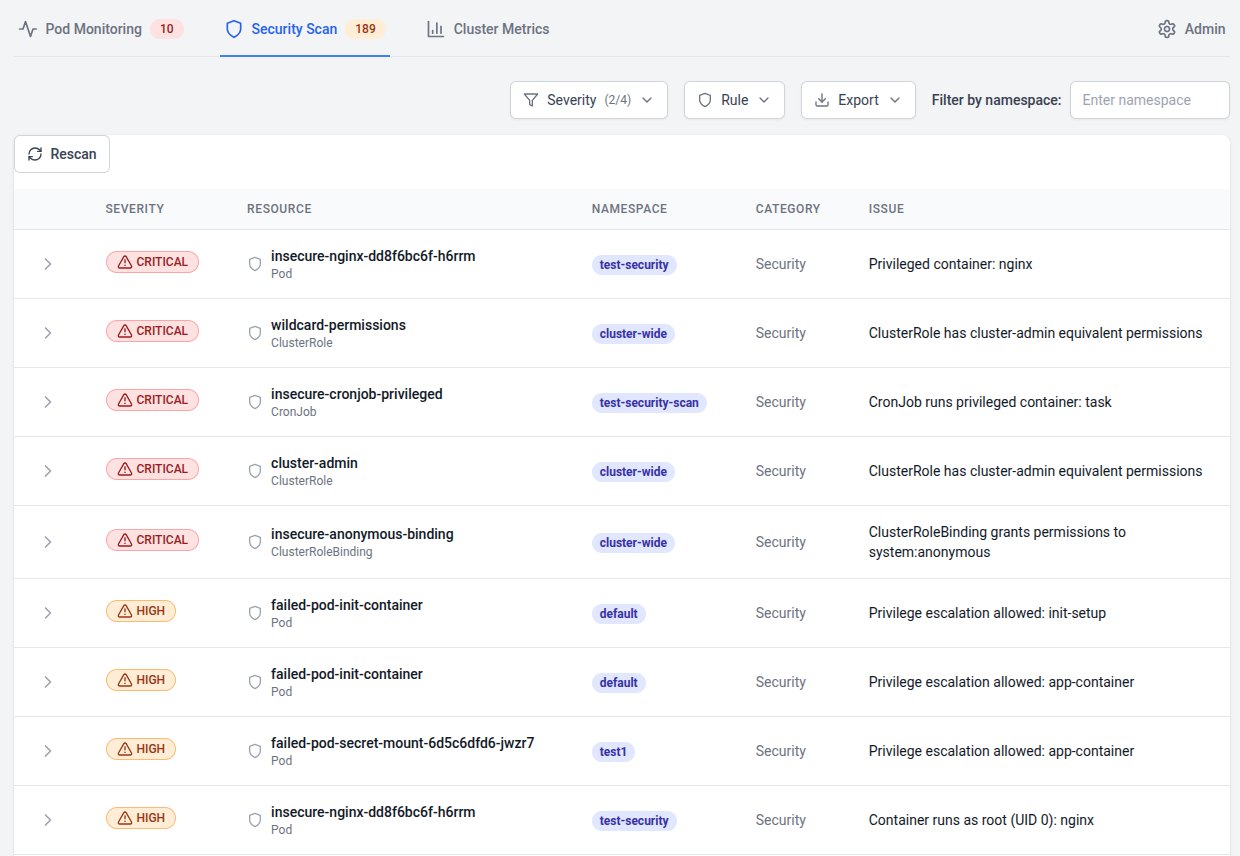
Section titled “Security scanning”Continuous audit of your cluster against 50+ checks — privileged containers, host namespaces, missing seccomp/AppArmor, root containers, untrusted registries, missing limits, RBAC misconfigs.
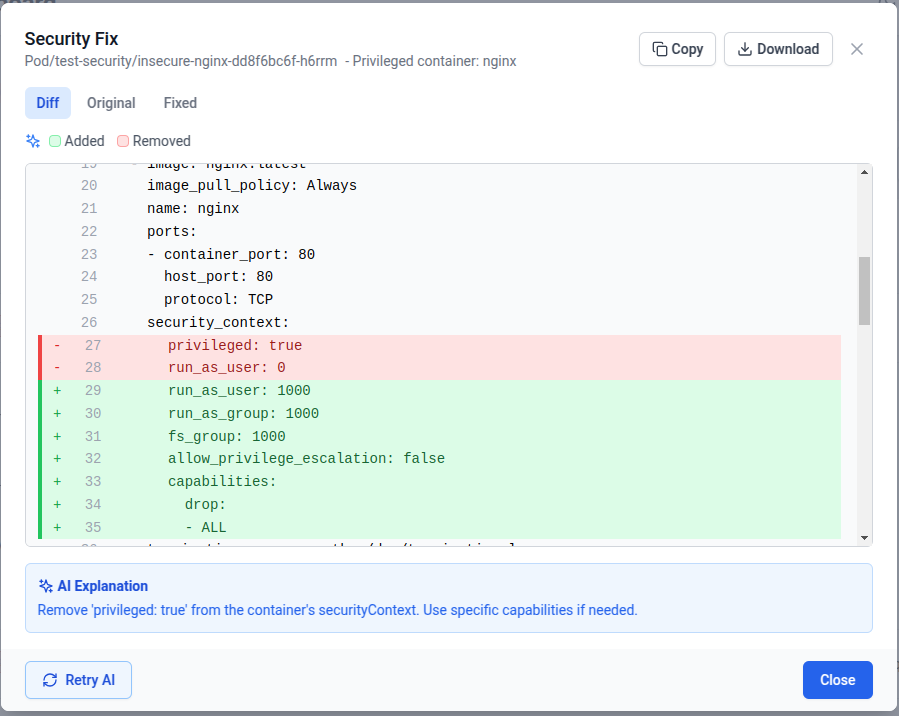
Click a finding and Kure proposes a concrete manifest fix — you review the diff before applying.
Mirror-pod testing
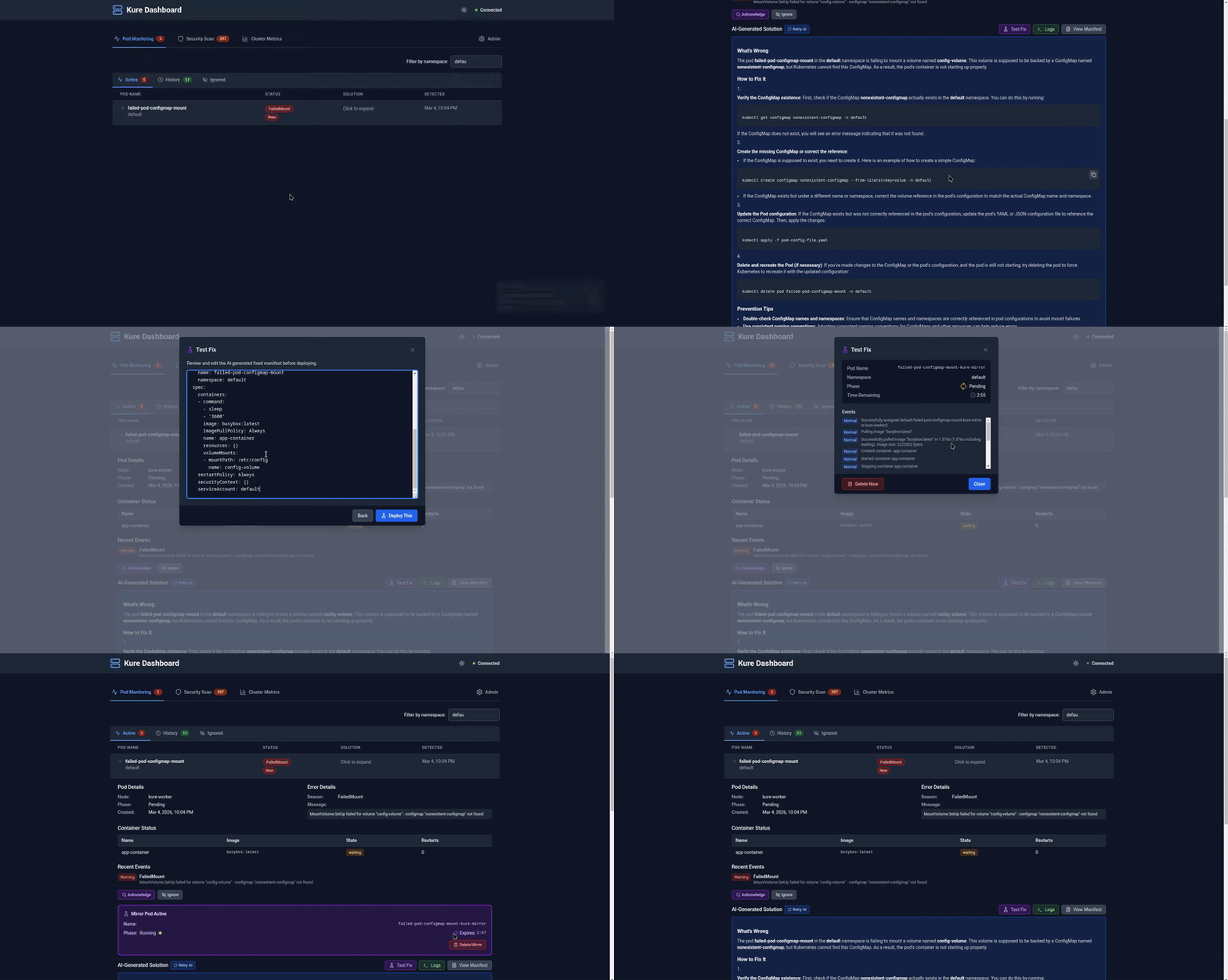
Section titled “Mirror-pod testing”Deploy a temporary copy of a failing pod with the proposed fix applied. Verify it actually works before committing to git.
Want to try it in your own cluster? Install in two commands →